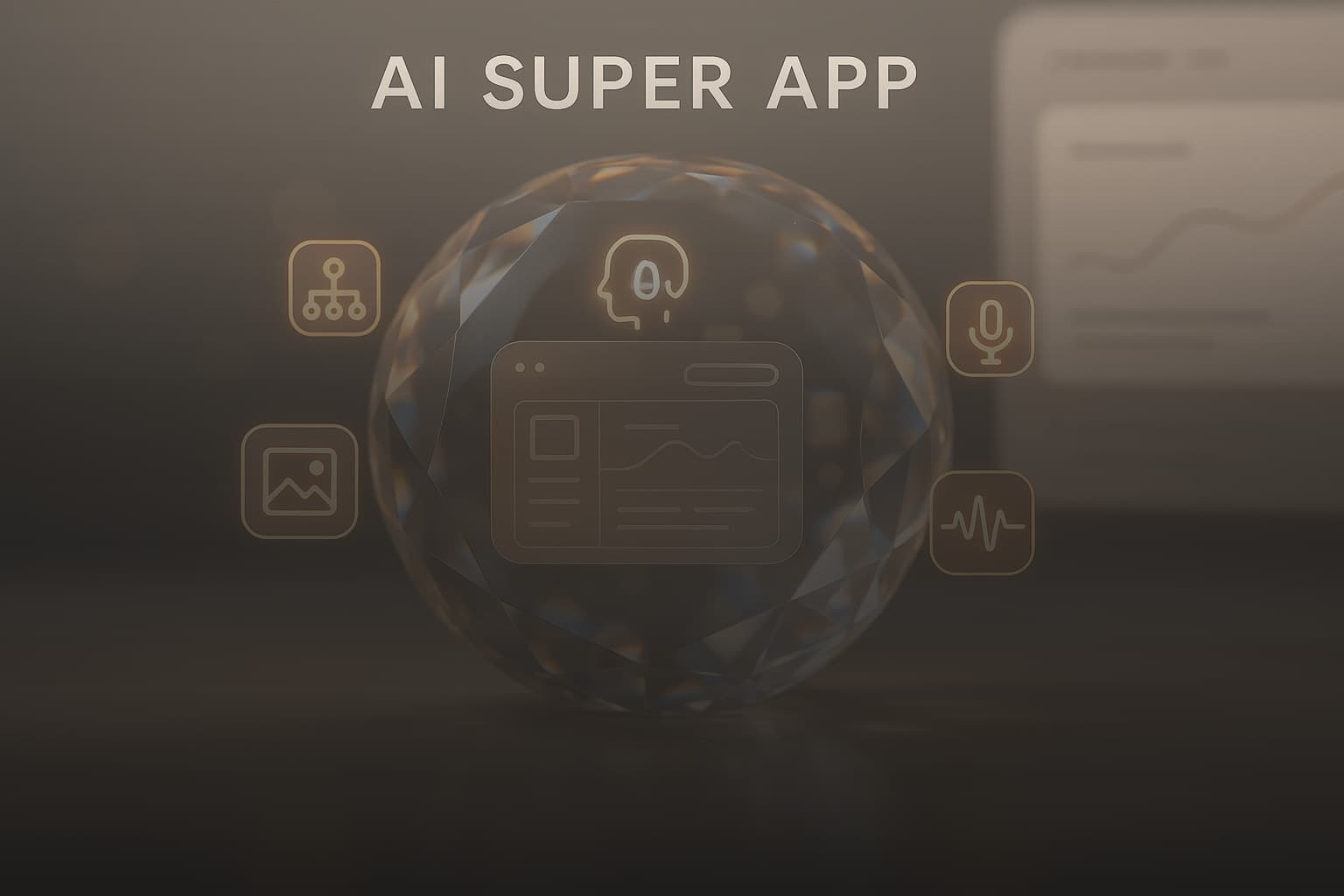
Microsoft's AI Super App: Unifying Copilot & New MAI Models
Microsoft just made its boldest AI play yet. At Build 2026, the company announced it's consolidating its scattered Copilot tools into a single super app while launching seven new proprietary AI models...
Microsoft just made its boldest AI play yet. At Build 2026, the company announced it's consolidating its scattered Copilot tools into a single super app while launching seven new proprietary AI models that reduce its reliance on OpenAI. This isn't just a product refresh. It's a strategic repositioning that changes how enterprises and developers interact with Microsoft's AI ecosystem.
The super app addresses a problem Microsoft created for itself: too many Copilots in too many places, each with different capabilities and interfaces. The new MAI models (pronounced like FBI) represent Microsoft's first serious attempt to compete on its own AI infrastructure rather than reselling OpenAI's technology. Both moves signal Microsoft is done playing middleman in the AI race.
Why Microsoft Built an AI Super App (And Why It Matters Now)
Microsoft's Copilot fragmentation reached a breaking point by early 2026. Users faced separate Copilot experiences in Windows, Microsoft 365, GitHub, Bing, and Edge. Each version had different features, different UI patterns, and different underlying models. A developer might use GitHub Copilot for code, switch to Microsoft 365 Copilot for email, then open Windows Copilot for system tasks. Three different interfaces, three different workflows, zero consistency.
Enterprise customers complained loudest. IT departments struggled to train employees on multiple Copilot variants. Security teams couldn't enforce consistent policies across platforms. Finance teams paid for overlapping subscriptions without clear ROI differentiation. Microsoft's own research showed users averaged 4.3 Copilot touchpoints per workday, each requiring context switching that killed productivity gains.
The super app solves this by creating one destination for all Copilot functionality. One interface, one subscription model, one set of controls. Microsoft needs this consolidation to compete with Claude and ChatGPT, which already offer unified experiences across use cases.
Breaking Down the Microsoft AI Super App: Features and Functionality
The Microsoft AI super app launches in technical preview in July 2026, with general availability planned for Q4 2026. The app combines chat, coding assistance, Microsoft 365 integration, and agent orchestration in a single interface available on Windows, web, iOS, and Android. Users authenticate once and access every Copilot capability Microsoft offers.
The interface uses a tabbed navigation system. Chat handles conversational AI tasks. Code connects to GitHub repositories and provides real-time coding assistance. 365 integrates with Outlook, Word, Excel, and Teams for productivity workflows. Agents manages custom AI agents built through Foundry Agent Service. Each tab maintains context across sessions, so switching between a coding problem and a document draft doesn't lose your work.
Microsoft built the super app on a new unified backend that routes requests to the most appropriate model. Ask a coding question, it uses GitHub Copilot's specialized models. Request document analysis, it taps Microsoft 365 Copilot. Generate an image, it routes to MAI-Image-2.5. Users don't need to know which model handles what. The system decides based on task type and available context.
How the Super App Unifies the Copilot Experience
The super app introduces three unification layers that didn't exist before. First, shared context across all Copilot functions. Start a conversation in the Chat tab about a project, then switch to Code, and the coding assistant already knows your project goals. Move to the 365 tab to draft a proposal, and it references both the chat history and code structure without manual prompting.
Second, unified subscription management. Instead of separate licenses for GitHub Copilot, Microsoft 365 Copilot, and Windows Copilot, enterprises buy Microsoft AI Super App licenses that include everything. Pricing starts at $30 per user per month for the Professional tier, which includes all core Copilot features. The Enterprise tier adds custom agent deployment and advanced security controls for $50 per user per month.
Third, consistent UI patterns and keyboard shortcuts work identically across all tabs. The command palette (Ctrl+K on Windows, Cmd+K on Mac) opens the same quick action menu whether you're in Chat, Code, or 365. Saved prompts sync across all functions. The learning curve flattens dramatically when muscle memory transfers between tasks.
What This Means for Microsoft 365 Users
Microsoft 365 users gain immediate access to capabilities previously locked in separate products. The 365 tab in the super app now includes GitHub Copilot's code generation when working in Excel with Power Query or writing Office Scripts. Windows Copilot's system automation features appear in the 365 context when scheduling meetings or managing files. Previously siloed tools now work together.
The super app also introduces cross-product workflows that weren't possible before. Analyze a dataset in Excel, generate visualizations, draft a PowerPoint presentation with those charts, and write an email summary. All within the 365 tab, all maintaining context, all in under five minutes. Microsoft's internal testing showed 37% faster completion times for multi-step productivity tasks compared to using separate Copilot tools.
Enterprise administrators get centralized policy controls through the Microsoft 365 admin center. One dashboard manages permissions, data retention, and compliance settings for all Copilot functionality. Previously, admins juggled separate consoles for GitHub Copilot, Microsoft 365 Copilot, and Windows Copilot. The super app collapses this administrative overhead.
Microsoft's New MAI Models: The Shift Away from OpenAI Dependence
Microsoft's seven new MAI models represent a strategic pivot from OpenAI dependency to in-house AI development. The company spent $13 billion on OpenAI and built its entire Copilot strategy on GPT models. But OpenAI's relationship with Apple, combined with rising licensing costs and limited customization options, pushed Microsoft to develop proprietary alternatives.
The MAI model family includes reasoning, image generation, transcription, voice synthesis, code generation, document understanding, and multimodal capabilities. Microsoft trained these models on its Azure infrastructure using a combination of public datasets, licensed content, and Microsoft's own data repositories. The company won't disclose exact training costs, but industry analysts estimate Microsoft invested $2-3 billion in compute resources alone.
These models don't replace OpenAI integration entirely. The super app still offers GPT-4 and GPT-4o as options for users who prefer them. But Microsoft now defaults to MAI models for most tasks, relegating OpenAI to a fallback option when MAI models can't handle specific requests. This architectural shift gives Microsoft pricing flexibility and reduces exposure to OpenAI's roadmap decisions.
MAI-Thinking-1 and MAI-Image-2.5: Reasoning and Visual Generation
MAI-Thinking-1 handles complex reasoning tasks that require multi-step logic and chain-of-thought processing. The model excels at mathematical problem-solving, code debugging, and strategic planning scenarios. It uses a technique Microsoft calls "explicit reasoning traces," which shows users the step-by-step logic behind each answer rather than jumping straight to conclusions.
In benchmark testing, MAI-Thinking-1 scored 84.3% on the MATH dataset (graduate-level mathematics problems) and 89.7% on HumanEval (Python coding challenges). These results trail Claude 3.5 Sonnet's 88.1% and 92.3% respectively, but beat GPT-4's 82.6% and 87.9%. The model performs best on problems requiring explicit logical steps rather than intuitive leaps.
MAI-Image-2.5 generates images from text prompts with a focus on photorealism and brand consistency. Microsoft trained this model specifically for business use cases: product mockups, marketing materials, presentation graphics, and technical diagrams. It includes built-in brand guideline enforcement, so enterprise users can upload logo files, color palettes, and style guides that the model respects in every generation.
Image quality lands somewhere between DALL-E 3 and Midjourney v6. MAI-Image-2.5 handles text rendering in images better than most competitors, making it useful for creating branded graphics with slogans or product labels. But it struggles with complex scenes involving multiple characters or intricate spatial relationships. Microsoft positions this as a practical business tool rather than an artistic powerhouse.
MAI-Transcribe-1.5 and MAI-Voice-2: Audio Intelligence Tools
MAI-Transcribe-1.5 converts speech to text with speaker diarization, timestamp accuracy, and automatic punctuation. The model supports 47 languages and handles technical jargon, accents, and background noise better than previous Microsoft transcription tools. Word error rate averages 3.2% on clean audio and 8.7% in noisy environments, comparable to Whisper v3 but faster at processing.
The transcription model integrates directly with Teams meetings, automatically generating transcripts, action items, and summaries. It also powers the super app's voice input feature, letting users dictate messages, code comments, or document edits with near-instant text conversion. Processing happens on-device for audio under 30 minutes, with longer files routing to Azure for faster turnaround.
MAI-Voice-2 synthesizes natural-sounding speech from text input. Microsoft trained this model on diverse voice samples to create 24 preset voices spanning different ages, accents, and speaking styles. Enterprise customers can create custom voice profiles by recording 30 minutes of audio, useful for branded content or accessibility applications.
Voice quality matches Amazon Polly and Google Cloud Text-to-Speech in naturalness but falls short of ElevenLabs' emotional range. MAI-Voice-2 excels at consistent pronunciation of technical terms and proper nouns, making it reliable for training materials and product demos. The model also handles SSML markup for fine-tuned control over pacing, emphasis, and pauses.
Performance Reality Check: How MAI Models Stack Up Against Claude and Gemini
Independent testing reveals Microsoft's MAI models perform competently but rarely lead their categories. PCMag's evaluation in May 2026 found MAI-Thinking-1 matched Claude 3.5 Sonnet on coding tasks but lagged on creative writing and nuanced reasoning. MAI-Image-2.5 produced usable business graphics but couldn't match Midjourney's artistic quality or Stable Diffusion's customization depth.
The transcription and voice models fare better in competitive comparisons. MAI-Transcribe-1.5 matches Whisper v3's accuracy while processing 40% faster on Microsoft's infrastructure. MAI-Voice-2 delivers clearer pronunciation than Google's models for technical content, though ElevenLabs still dominates for emotional authenticity and character voices.
Microsoft's real advantage isn't raw performance. It's integration. MAI models run natively in Azure with enterprise security, compliance certifications, and SLA guarantees that open-source alternatives can't match. They also cost less than licensing equivalent capabilities from OpenAI or Anthropic. For enterprises already invested in Microsoft's ecosystem, MAI models offer good-enough performance at lower total cost of ownership.
The competitive gap matters less for business users than for researchers or creative professionals. A marketing team generating product images doesn't need Midjourney-level artistry. A finance department transcribing earnings calls doesn't need ElevenLabs' voice cloning. Microsoft built MAI models for practical business workflows, not benchmark leaderboards.
Developer Tools: GitHub Copilot App and Windows as an Agent Platform
Microsoft positioned Build 2026 as a developer-first event, announcing tools that turn Windows into an agent platform and GitHub Copilot into a standalone application. The GitHub Copilot app entered technical preview on May 20, 2026, giving developers a dedicated workspace for AI-assisted coding separate from the IDE. Windows as an agent platform opens APIs that let developers build AI agents with system-level access to files, applications, and user context.
The Windows agent platform includes three core capabilities. First, the Agent Runtime API lets developers register agents that run persistently in the background, monitoring system events and triggering actions based on user-defined rules. Second, the Context API provides agents with read access to user activity, open applications, and document content (with explicit user permission). Third, the Action API allows agents to control Windows features, launch applications, and manipulate files on the user's behalf.
These APIs unlock scenarios like an AI agent that watches your calendar, automatically joins Teams meetings, takes notes, and emails summaries to participants. Or an agent that monitors your codebase for merge conflicts, analyzes the conflicting changes, and suggests resolution strategies before you even open your IDE. Microsoft requires explicit user consent for each agent capability, with granular permission controls managed through Windows Settings.
GitHub Copilot App Technical Preview: What Developers Get Now
The GitHub Copilot app runs as a standalone desktop application on Windows, macOS, and Linux. It provides a persistent AI coding assistant that works across any text editor or IDE, not just Visual Studio Code. Developers can ask questions, generate code snippets, debug errors, and review pull requests without switching windows or interrupting their workflow.
The technical preview includes three primary features. Chat mode offers conversational coding assistance with context awareness of your current project structure and git history. Workspace mode analyzes entire codebases to answer questions about architecture, dependencies, or implementation patterns. Review mode examines pull requests and suggests improvements, potential bugs, or security vulnerabilities.
Microsoft built the app on a new local-first architecture that caches project context on-device. This reduces API calls to Azure, improving response times and cutting costs for high-volume users. The app also supports offline mode for basic code completion and syntax help, though advanced features like code review require internet connectivity.
The technical preview is free for existing GitHub Copilot subscribers. Microsoft plans to add collaborative features (shared agent configurations, team prompt libraries) and deeper IDE integrations before general availability in Q4 2026. Developers can request access through the GitHub Copilot settings page.
Enterprise AI: Microsoft Discovery and Agentic Platforms for Business
Microsoft Discovery reached General Availability at Build 2026, bringing AI agents into scientific research and development workflows. The platform combines literature review, experiment design, simulation, and data analysis into an integrated environment where AI agents handle routine research tasks while human scientists focus on hypothesis formation and result interpretation.
Discovery agents can scan thousands of research papers to identify relevant prior work, suggest experimental protocols based on published methodologies, run simulations to predict outcomes before committing lab resources, and analyze results to flag anomalies or unexpected patterns. Pharmaceutical companies are using Discovery to accelerate drug development. Materials science labs are using it to explore novel compounds. Climate researchers are using it to model intervention scenarios.
The platform runs on Azure with dedicated compute resources for simulation workloads. Microsoft partnered with scientific publishers to license access to research databases, giving Discovery agents legal access to paywalled journals and conference proceedings. Pricing starts at $50,000 per year for small research teams, scaling to custom enterprise agreements for large organizations.
Microsoft Discovery for Scientific R&D: Real-World Applications
Pharmaceutical company Novartis used Discovery during the technical preview to identify drug repurposing candidates for rare diseases. Discovery agents analyzed 47,000 research papers, cross-referenced molecular structures with existing drug databases, and suggested 23 compounds worth investigating. Three are now in preclinical trials. The entire literature review process took four days instead of the typical six months.
Materials science researchers at MIT used Discovery to explore battery chemistry alternatives. Agents simulated 12,000 material combinations, identifying 47 candidates with promising energy density and charge cycle characteristics. The team is now synthesizing the top 10 candidates for physical testing. Traditional trial-and-error methods would have required years to explore this design space.
Climate scientists at NOAA deployed Discovery to model carbon capture intervention scenarios. Agents analyzed historical climate data, ran simulations for different intervention strategies, and produced probability distributions for temperature outcomes through 2100. The work informed policy recommendations submitted to Congress in March 2026.
Hosted Agents and One-Click Publishing: Simplifying Enterprise AI Deployment
Microsoft's Foundry Agent Service reached General Availability in June 2026, offering hosted infrastructure for custom AI agents with one-click publishing to Teams and Microsoft 365 Copilot. Enterprises can build agents using low-code tools, test them in sandboxed environments, then deploy them to thousands of employees without managing servers or scaling infrastructure.
The service handles authentication, rate limiting, monitoring, and compliance logging automatically. Agents run on Azure with 99.9% uptime SLA and automatic scaling based on usage patterns. Microsoft provides pre-built agent templates for common business workflows: expense report processing, customer support ticket routing, meeting scheduling, and document summarization.
One-click publishing means enterprises can build an agent on Monday and have it available to all employees by Tuesday. The agent appears in Teams as a chat participant and in Microsoft 365 Copilot as a specialized skill. Users interact with custom agents using the same interface they use for standard Copilot features, reducing training requirements.
Pricing follows a consumption model: $0.02 per agent interaction for the first 100,000 interactions per month, with volume discounts above that threshold. Enterprises also pay for underlying Azure compute resources (typically $200-500 per month for agents serving 1,000 employees). Microsoft includes $5,000 in free credits for the first three months to encourage experimentation.
What This Means for the AI Landscape in 2026
Microsoft's super app and MAI models reshape competitive dynamics in enterprise AI. Google's Workspace AI and Anthropic's Claude for Work now face a unified Microsoft offering that bundles more capabilities at comparable pricing. Smaller AI vendors that focused on single-use cases (transcription, image generation, coding assistance) suddenly compete with a tech giant offering all those features in one subscription.
The MAI models specifically threaten OpenAI's business model. Microsoft was OpenAI's largest customer, accounting for an estimated 40% of API revenue. As Microsoft shifts workloads to MAI models, OpenAI loses both revenue and the validation that comes from powering Microsoft's flagship products. OpenAI's partnership with Apple provides some compensation, but Apple's AI ambitions remain narrower than Microsoft's enterprise focus.
For enterprises, Microsoft's consolidation simplifies procurement and reduces vendor management overhead. Instead of evaluating separate tools for coding assistance, transcription, image generation, and document analysis, IT departments can standardize on Microsoft's super app. This convenience factor matters more than raw performance for many organizations, especially those already committed to the Microsoft ecosystem.
The competitive pressure pushes Google and Anthropic to respond with their own consolidation strategies. Google already bundles Gemini across Workspace, but lacks the developer tools and agent platforms Microsoft now offers. Anthropic's Claude excels at reasoning and writing, but the company has no equivalent to Microsoft's enterprise deployment infrastructure. Both companies need to either build comparable platforms or partner with infrastructure providers to match Microsoft's integration depth.
Getting Started with Microsoft's AI Super App
Individual users can access the Microsoft AI super app through the technical preview starting in July 2026. Visit microsoft.com/ai-super-app and sign in with your Microsoft account. The preview is free for existing Microsoft 365 subscribers and includes all core Copilot features except custom agent deployment.
Developers should request access to the GitHub Copilot app technical preview through their GitHub account settings. The app requires an active GitHub Copilot subscription ($10 per month for individuals, $19 per month for businesses). Windows agent platform APIs are available in the Windows 11 Insider Preview builds starting June 2026, with stable release planned for the fall.
Enterprise decision-makers evaluating Microsoft's AI platform should start with the Microsoft 365 admin center. The AI management dashboard provides usage analytics, cost projections, and security controls for all Copilot features. Microsoft offers free 30-day trials of the Enterprise tier, including hosted agent deployment through Foundry Agent Service. Schedule a consultation with Microsoft's AI specialists through your account manager to discuss custom deployment scenarios.
For organizations in scientific R&D, Microsoft Discovery requires a separate evaluation process. Contact Microsoft's enterprise sales team to discuss use cases, data requirements, and pricing. Microsoft provides proof-of-concept deployments for qualified organizations, typically running 60-90 days before committing to annual contracts.
The super app represents Microsoft's bet that enterprises want simplicity over best-of-breed tools. Whether that bet pays off depends on how quickly Microsoft closes the performance gap between MAI models and competitors while maintaining the integration advantages that make the super app compelling. For now, Microsoft has the most comprehensive enterprise AI platform available. The question is whether comprehensive beats specialized.
Get the newsletter
One sharp idea every Sunday.
No fluff. No sales pitches. Just the best of what we publish, hand-picked.
Continue Reading
Related Articles
Gemma 4 12B: Google's Powerful Open-Source Multimodal AI
Google just dropped a model that runs multimodal AI on your laptop without sending a single byte to the cloud. Gemma 4 12B processes text, audio, and video natively on 16GB of RAM while matching the r...
Anthropic Suspends Fable 5 & Mythos 5 Access: US Gov Order
Anthropic launched Claude Fable 5 and Mythos 5 on June 9, 2026. Three days later, the US government ordered the company to suspend all access to both models for foreign nationals, including Anthropic'...

Anthropic's Fable 5: AI Power, Data Privacy, & Cybersecurity Risks
Anthropic dropped its most powerful public AI model on June 9, 2026, and immediately sparked a firestorm over mandatory data retention. Claude Fable 5 brings frontier-level capabilities to everyday us...